
Türkçe
Genel bakış
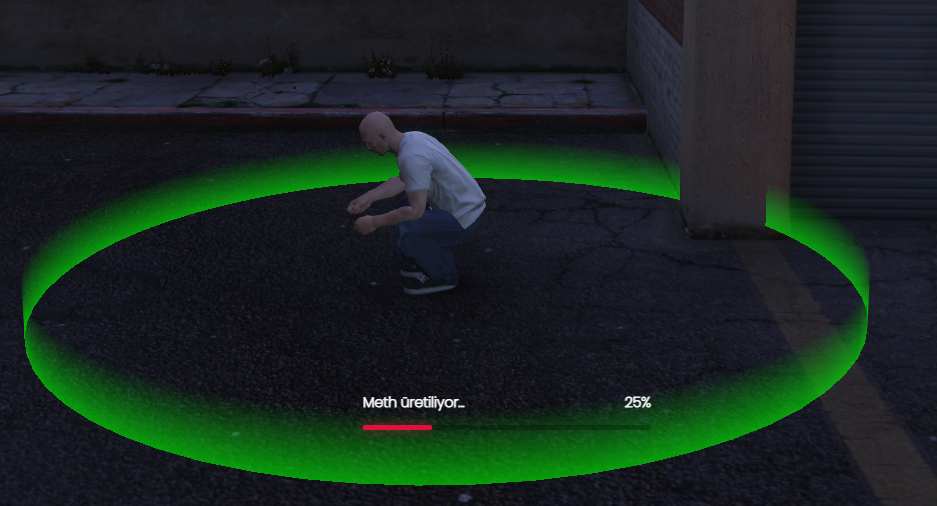
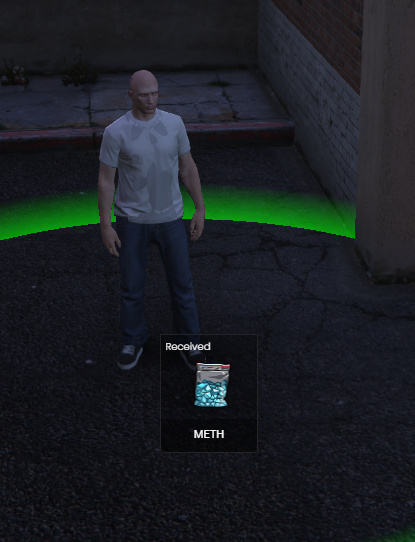
Bu script, yapılandırma dosyası (config) üzerinden tamamen özelleştirilebilen bir toplama / işleme sistemidir. Oyuncular belirlediğin konumlarda etkileşime girer; süreç progress bar ile gösterilir ve tanımladığın item’lar envantere eklenir veya tüketilir.
Özellikler
-
Konumlar config’den ayarlanır — Koordinatlar, yarıçap/zone, blip, marker ve etkileşim noktaları
configiçinde değiştirilir; kodu düzenlemeden haritada farklı bölgeler kullanılabilir. - Item’lar config’den ayarlanır — Gerekli malzemeler, verilen ödüller, miktarlar, şans oranları ve item isimleri config’de tanımlanır; istediğin item setine göre süreci özelleştirebilirsin.
- Framework uyumu — QBCore, ESX veya standalone kurulumlara göre yapılandırılabilir (sunucundaki framework’e göre config’de seçim yapılır).
- Çoklu progress bar desteği — Sunucunda hangi progress bar resource’u aktifse config’den seçilir; tek bir script ile farklı progress bar kütüphaneleri desteklenir.
Desteklenen progress bar’lar
Config’de progress bar tipini seçerek aşağıdakilerden birini kullanabilirsin (sunucunda ilgili resource’un kurulu ve çalışır olması gerekir):
Config ile özelleştirme
Konum
- Toplama / işleme noktalarının
vector3/vector4koordinatları - Etkileşim mesafesi veya PolyZone / target bölgesi
- İsteğe bağlı blip (isim, sprite, renk, ölçek)
- Marker tipi, rengi ve görünürlük ayarları
Item’lar
- Başlamak için gerekli item’lar ve miktarları
- İşlem sonunda verilen item’lar ve miktarları (sabit veya min–max aralığı)
- Item silme / ekleme sırası ve başarısızlıkta iade kuralları
- Cooldown, süre (duration), animasyon ve prop ayarları (config’de varsa)
Progress bar
-
Config.ProgressBar = 'ox_lib'gibi tek satırla aktif kütüphaneyi seçme - Süre, etiket (label), iptal edilebilirlik, animasyon senkronu
Kurulum (kısa)
- Resource’u
resourcesklasörüne koy. -
config.luaiçinde framework, konumlar, item’lar ve progress bar tipini ayarla. - Kullandığın progress bar resource’unun
ensureedildiğinden emin ol. -
server.cfgiçine script’i ekle:ensure [resource-adı]
Bağımlılıklar (örnek)
- Framework: qb-core veya es_extended
- Target (varsa): ox_target / qb-target
- Progress: Seçtiğin kütüphane (ör. ox_lib)
- Envanter: ox_inventory / qb-inventory (sunucu ayarına göre)
English
Overview
This script is a gathering / processing system that is fully customizable through the config file. Players interact at locations you define; actions are shown with a progress bar, and configured items are added to or removed from inventory.Features
-
Locations are config-driven — Coordinates, zones/radius, blips, markers, and interaction points are set in
config; you can move activity to different map areas without editing core code. -
Items are config-driven — Required materials, rewards, amounts, chance rates, and item names are defined in
config; you can tailor the loop to any item setup you want. - Framework support — Can be set up for QBCore, ESX, or standalone (select in config for your server).
- Multiple progress bar support — Pick the progress bar resource your server runs from config; one script supports several popular progress bar libraries.
Supported progress bars
Set the progress bar type in config to use one of the following (the matching resource must be installed and started on your server):Customization via config
Locations-
vector3/vector4coordinates for gather/process spots - Interaction distance or PolyZone / target zone
- Optional blips (label, sprite, color, scale)
- Marker type, color, and visibility Items
- Required items and amounts to start
- Reward items and amounts on success (fixed or min–max)
- Remove/add order and refund rules on cancel/fail
- Cooldown, duration, animation, and prop settings (if present in config) Progress bar
- Select active library in one place, e.g.
Config.ProgressBar = 'ox_lib' - Duration, label, cancel behaviour, animation sync
Installation (short)
- Place the resource in your
resourcesfolder. - Set framework, locations, items, and progress bar type in
config.lua. - Ensure your chosen progress bar resource is started.
- Add to
server.cfg:ensure [resource-name]
Dependencies (example)
- Framework: qb-core or es_extended
- Target (if used): ox_target / qb-target
- Progress: Your selected library (e.g. ox_lib)
- Inventory: ox_inventory / qb-inventory (per server setup)
-
Locations are config-driven — Coordinates, zones/radius, blips, markers, and interaction points are set in