
# Alisizm Speed Zone Creator
**TR** · [Türkçe](#türkçe)
**EN** · [English](#english)
---
## Türkçe
### Genel bakış
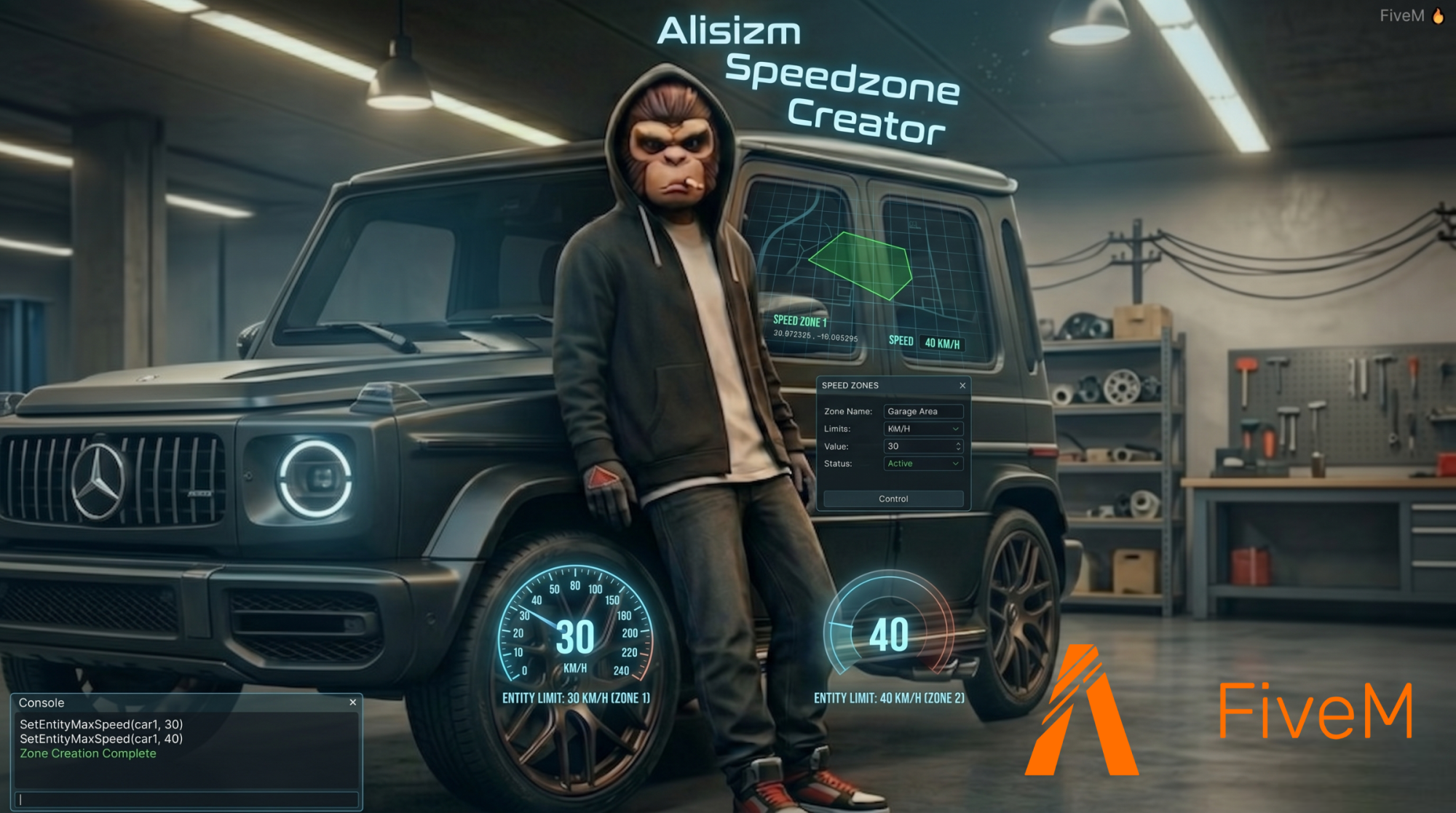
**Alisizm Speed Zone Creator**, FiveM sunucunuzda harita üzerinde **poligon speed zone** oluşturmanızı sağlar. Yetkili oyuncular `/aspeed` komutu ile modern bir panel açar; kamera + raycast ile bölge çizer, **KM/H hız limiti** atar ve zone’ları kaydeder. Araçlar zone içine girince otomatik hız sınırına çekilir.
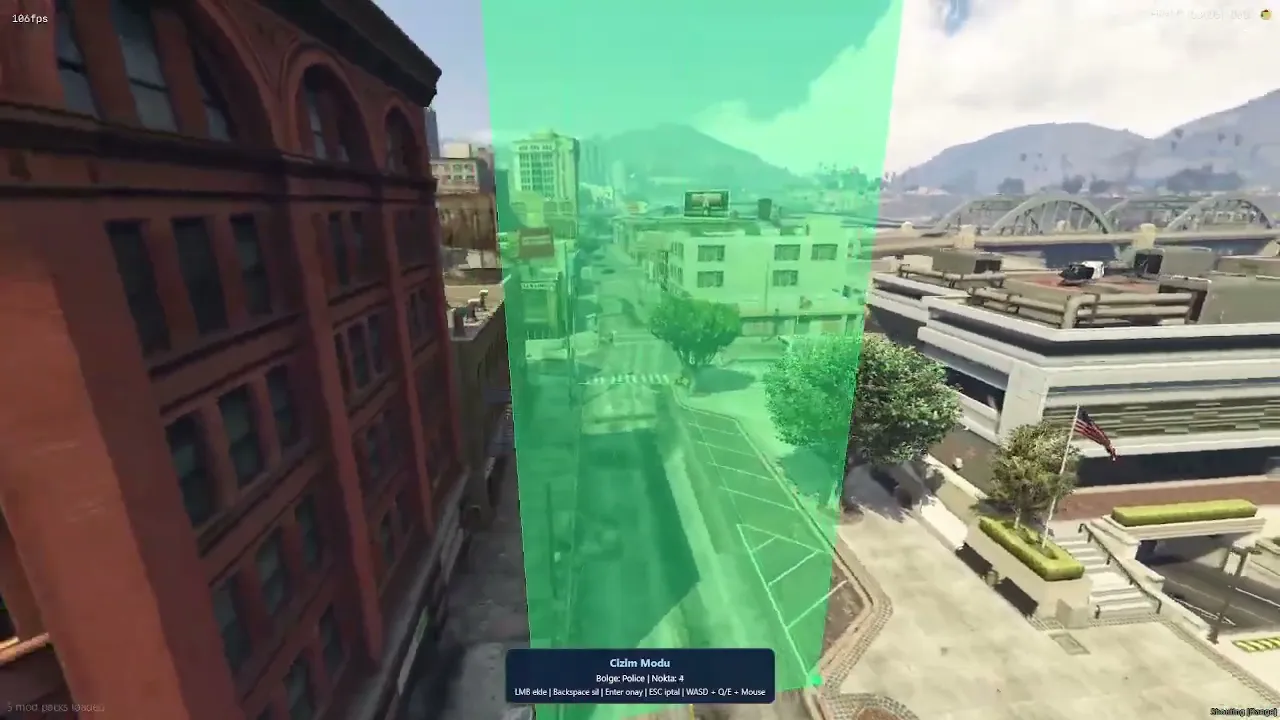
Safezone tarzı **3D çizim deneyimi** (yeşil duvarlar, serbest kamera, minimum nokta kontrolü) ile hızlı ve görsel zone yönetimi sunar.
### Öne çıkan özellikler
- **Poligon zone çizimi** — LMB ile nokta ekleme, Backspace ile geri alma, Enter ile onay
- **Serbest kamera** — WASD, Q/E, mouse ile çizim modu
- **NUI yönetim paneli** — zone oluşturma, düzenleme, silme, liste
- **Araç hız limiti** — zone içinde `SetEntityMaxSpeed` ile KM/H sınırı
- **Kalıcı kayıt** — `zones.json` (restart sonrası zone’lar durur)
- **Discord webhook** — ekleme / güncelleme / silme logları
- **Çoklu dil** — TR, EN, DE, FR, ES, PT, PT-BR, PL, NL
- **Framework uyumu** — QBCore, Qbox, ESX, standalone (otomatik algılama)
- **Esnek yetki** — admin/god **veya** license listesi
- **Escrow dostu** — `config.lua` ve `locales/locale.lua` düzenlenebilir
### Kurulum
1. Scripti `resources` klasörüne atın. Klasör adı **`alisizm-speedzone-creator`** olmalıdır.
2. `server.cfg` dosyanıza ekleyin:
```cfg
ensure alisizm-speedzone-creator
```
3. `config.lua` dosyasını sunucunuza göre düzenleyin (dil, yetki, webhook).
4. Sunucuyu yeniden başlatın veya:
```
refresh
ensure alisizm-speedzone-creator
```
### Komut ve kullanım
| Komut | Açıklama |
|--------|----------|
| `/aspeed` | Yetkili oyuncular için yönetim panelini açar |
**Panelden:** zone adı + max KM/H gir → çizime başla → poligonu tamamla → kaydet.
**Çizim modu kontrolleri:**
| Tuş | İşlev |
|-----|--------|
| **Sol tık (LMB)** | Nokta ekle |
| **Backspace** | Son noktayı sil |
| **Enter** | Zone’u onayla / kaydet |
| **ESC** | İptal |
| **WASD** | Kamerayı hareket ettir |
| **Q / E** | Yukarı / aşağı |
| **Mouse** | Kamera açısı |
Minimum nokta sayısı `Config.Drawing.minPoints` ile ayarlanır (varsayılan: **4**).
### Yetki sistemi
`config.lua` içinde:
```lua
Config.UseLicenseAuth = false -- false = admin/god | true = license listesi
```
#### Admin / God modu (`UseLicenseAuth = false`)
Sunucu otomatik olarak şunları kontrol eder:
- ACE: `alisizm.speedzone.admin`, `god`, `admin`, `qbcore.god`, `command` vb.
- **QBCore:** `HasPermission` / `GetPermission`
- **Qbox:** `HasGroup`, `HasPermission`
- **ESX:** `admin`, `superadmin`, `god` groups
**Örnek `server.cfg` (QBCore):**
```cfg
add_ace group.admin command allow
add_principal identifier.license:BURAYA_HASH qbcore.god # OyuncuAdi
# İsteğe bağlı — sadece bu script için
add_ace group.admin alisizm.speedzone.admin allow
```
#### License modu (`UseLicenseAuth = true`)
```lua
Config.UseLicenseAuth = true
Config.AuthorizedLicenses = {
'license:xxxxxxxxxxxxxxxxxxxxxxxxxxxxxxxxxxxxxxxx',
}
```
> **Not:** Zone’lar ve hız limiti tüm oyunculara sync edilir. Sadece **oluşturma / düzenleme / silme** yetki gerektirir.
### İsteğe bağlı özelleştirmeler (`config.lua`)
Tüm aşağıdaki ayarlar **isteğe bağlıdır**; varsayılanlar çoğu sunucu için yeterlidir.
| Ayar | Açıklama |
|------|----------|
| `Config.Locale` | UI ve bildirim dili (`tr`, `en`, `de`, …) |
| `Config.Framework` | `auto`, `qbcore`, `qbox`, `esx`, `standalone` |
| `Config.UseLicenseAuth` | License listesi veya framework yetkisi |
| `Config.AuthorizedLicenses` | License modunda izinli oyuncular |
| `Config.Webhook.enabled` | Discord log açık / kapalı |
| `Config.Webhook.url` | Webhook URL |
| `Config.Webhook.avatar` | Webhook avatar URL (boş bırakılabilir) |
| `Config.Notifications.enabled` | Tüm oyuncu bildirimlerini kapat |
| `Config.Notifications.*` | Boş değilse locale yerine özel metin |
| `Config.Notify.system` | `qb` (QBCore notify), `feed` (GTA feed), `none` |
| `Config.Notify.*Type` | QBCore notify tipi (`primary`, `success`, `error`) |
| `Config.Notify.durationMs` | Bildirim süresi (ms) |
| `Config.UI.panelOpacity` | NUI panel opaklığı (0.0 – 1.0) |
| `Config.Drawing.minPoints` | Zone onayı için minimum köşe sayısı |
| `Config.Zone.useWorldZBounds` | Dikey sınır kullanımı |
| `Config.Zone.worldMinZ` / `worldMaxZ` | Zone yükseklik sınırları |
| `Config.SpeedLimiter.tickMs` | Hız kontrol döngüsü (performans; varsayılan 150) |
| `Config.Debug` | Konsol debug logları |
**Çeviri düzenleme (escrow sonrası):** `locales/locale.lua` — Tebex escrow’da bu dosya düzenlenebilir olarak bırakılmıştır.
### Bildirimler (framework)
| Sunucu tipi | Önerilen `Config.Notify.system` |
|-------------|----------------------------------|
| QBCore / Qbox | `qb` |
| ESX | `feed` veya `none` |
| Framework yok | `feed` |
### Dosya yapısı
```
alisizm-speedzone-creator/
├── config.lua # Sunucu ayarları (düzenlenebilir)
├── client.lua
├── server.lua
├── fxmanifest.lua
├── zones.json # Kayıtlı zone’lar (otomatik oluşur)
├── locales/
│ └── locale.lua # Çeviriler (düzenlenebilir)
└── html/ # NUI panel
```
---
## English
### Overview
**Alisizm Speed Zone Creator** lets authorized staff draw **polygon speed zones** on your FiveM map. Use `/aspeed` to open a modern panel, draw areas with a free camera and raycast, set a **KM/H speed limit**, and save zones. Vehicles inside a zone are automatically capped.
Built with a safezone-style **3D drawing workflow** (green walls, free camera, minimum point validation) for fast, visual zone management.
### Key features
- **Polygon drawing** — LMB add point, Backspace undo, Enter confirm
- **Free camera** — WASD, Q/E, mouse in draw mode
- **NUI admin panel** — create, edit, delete, list zones
- **Vehicle speed limit** — `SetEntityMaxSpeed` while inside the zone
- **Persistent storage** — `zones.json` survives restarts
- **Discord webhook** — create / update / delete logs
- **Multi-language** — TR, EN, DE, FR, ES, PT, PT-BR, PL, NL
- **Framework support** — QBCore, Qbox, ESX, standalone (auto-detect)
- **Flexible permissions** — admin/god **or** license whitelist
- **Escrow-friendly** — `config.lua` and `locales/locale.lua` remain editable
### Installation
1. Place the resource in your `resources` folder. Folder name must be **`alisizm-speedzone-creator`**.
2. Add to `server.cfg`:
```cfg
ensure alisizm-speedzone-creator
```
3. Edit `config.lua` for your server (locale, permissions, webhook).
4. Restart the server or run:
```
refresh
ensure alisizm-speedzone-creator
```
### Command & usage
| Command | Description |
|---------|-------------|
| `/aspeed` | Opens the management panel for authorized players |
**From the panel:** enter zone name + max KM/H → start drawing → complete the polygon → save.
**Draw mode controls:**
| Key | Action |
|-----|--------|
| **LMB** | Add point |
| **Backspace** | Remove last point |
| **Enter** | Confirm / save zone |
| **ESC** | Cancel |
| **WASD** | Move camera |
| **Q / E** | Up / down |
| **Mouse** | Camera angle |
Minimum points: `Config.Drawing.minPoints` (default **4**).
### Permission system
In `config.lua`:
```lua
Config.UseLicenseAuth = false -- false = admin/god | true = license whitelist
```
#### Admin / God mode (`UseLicenseAuth = false`)
The server checks:
- ACE: `alisizm.speedzone.admin`, `god`, `admin`, `qbcore.god`, `command`, etc.
- **QBCore:** `HasPermission` / `GetPermission`
- **Qbox:** `HasGroup`, `HasPermission`
- **ESX:** `admin`, `superadmin`, `god` groups
**Example `server.cfg` (QBCore):**
```cfg
add_ace group.admin command allow
add_principal identifier.license:YOUR_HASH qbcore.god # PlayerName
# Optional — script-specific ACE
add_ace group.admin alisizm.speedzone.admin allow
```
#### License mode (`UseLicenseAuth = true`)
```lua
Config.UseLicenseAuth = true
Config.AuthorizedLicenses = {
'license:xxxxxxxxxxxxxxxxxxxxxxxxxxxxxxxxxxxxxxxx',
}
```
> **Note:** Zones and speed limits sync to **all players**. Only **create / edit / delete** requires permission.
### Optional customization (`config.lua`)
All settings below are **optional**; defaults work for most servers.
| Setting | Description |
|---------|-------------|
| `Config.Locale` | UI and notification language |
| `Config.Framework` | `auto`, `qbcore`, `qbox`, `esx`, `standalone` |
| `Config.UseLicenseAuth` | License whitelist vs framework admin |
| `Config.AuthorizedLicenses` | Allowed licenses when license mode is on |
| `Config.Webhook.enabled` | Toggle Discord logs |
| `Config.Webhook.url` | Webhook URL |
| `Config.Webhook.avatar` | Webhook avatar URL (optional) |
| `Config.Notifications.enabled` | Disable all player notifications |
| `Config.Notifications.*` | Custom text overrides (non-empty replaces locale) |
| `Config.Notify.system` | `qb`, `feed`, or `none` |
| `Config.Notify.*Type` | QBCore notify types |
| `Config.Notify.durationMs` | Notification duration (ms) |
| `Config.UI.panelOpacity` | NUI panel opacity (0.0 – 1.0) |
| `Config.Drawing.minPoints` | Minimum corners to confirm a zone |
| `Config.Zone.useWorldZBounds` | Vertical bounds toggle |
| `Config.Zone.worldMinZ` / `worldMaxZ` | Zone height limits |
| `Config.SpeedLimiter.tickMs` | Speed check interval (performance) |
| `Config.Debug` | Console debug logs |
**Translations (post-escrow):** edit `locales/locale.lua` — included in `escrow_ignore`.
### Notifications by framework
| Server type | Suggested `Config.Notify.system` |
|-------------|-----------------------------------|
| QBCore / Qbox | `qb` |
| ESX | `feed` or `none` |
| No framework | `feed` |
### File structure
```
alisizm-speedzone-creator/
├── config.lua # Server settings (editable)
├── client.lua
├── server.lua
├── fxmanifest.lua
├── zones.json # Saved zones (auto-created)
├── locales/
│ └── locale.lua # Translations (editable)
└── html/ # NUI panel
```
---
© Alisizm — All rights reserved.